How to Read Hydromancer's Live Stats Page
A plain guide to Hydromancer's live stats page: what each row, number and colour means, and what the dashboard doesn't claim.

Our live stats page compares Hydromancer's websocket feed with Hyperliquid's own, all day, every day.
If you've ever wondered how fast and stable Hydromancer is at any given time, the live stats page (a.k.a. our benchmark page) is your go-to.
We use Grafana for our live stats, so you can check our speed claims yourself instead of simply trusting our written claims (words are cheap; actual data is the real deal).
This guide walks you through how to read the charts.
What the dashboard measures
A test client we run (the dashboard calls it a "canary") subscribes to the same Hyperliquid data from both sources at the same time: Hydromancer's feed and Hyperliquid's official websocket.
It records when each message arrives and compares the two.
Three things to know before you read any number:
• The numbers are medians over the last minute.
• The page shows the last 6 hours and refreshes every 15 seconds.
• "No data" means no data. If the canary has nothing fresh to compare, the panel says NO DATA instead of showing an old, healthy-looking number. It never means 0 ms.
The page has four rows: Trades, Order Book, BBO (top of book) and Fills.
Trades: see which feed delivered the same trade first
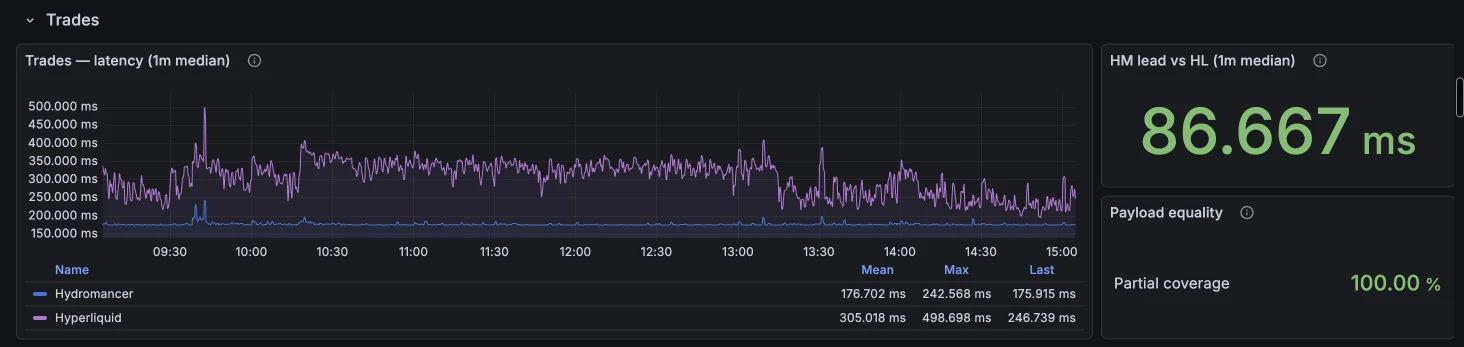
The chart on the left shows two lines, one per feed. Each line is how long a trade took to reach the canary after it happened, according to that feed's own timestamp. Lower means better.
The big number on the right, "HM lead vs HL", is the one to read first. It answers a simpler question: when both feeds sent *the same trade*, how much earlier did Hydromancer's copy arrive? Positive (green) means Hydromancer was first.
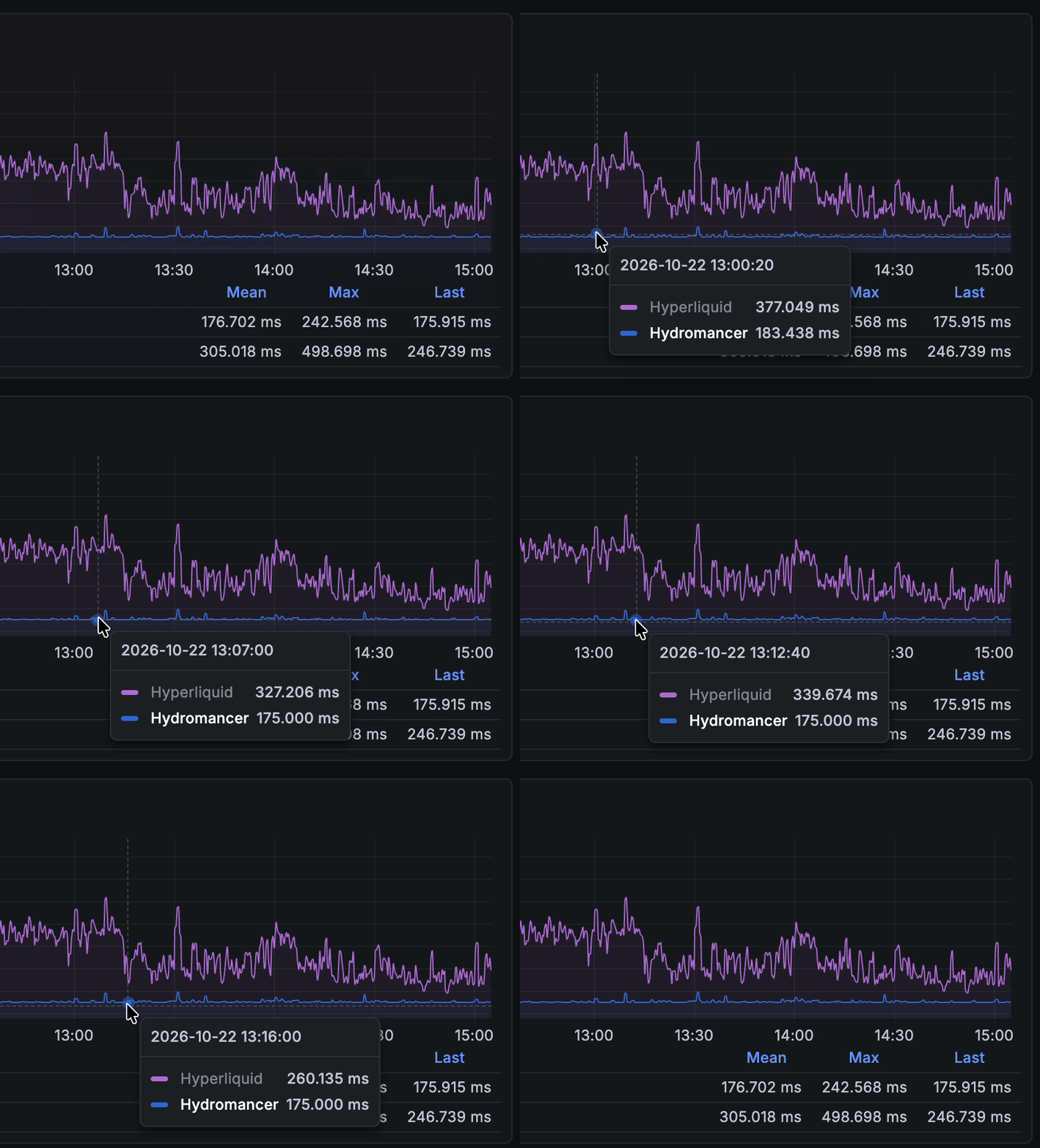
Remember, you can't get the lead by subtracting the two chart lines. That afternoon the lines read 175 ms and 316 ms, a 141 ms gap, but each feed stamps time in its own way and the lines don't always cover the same trades. The lead only compares identical trades seen on both sides, which is why it's the fairer number.
Payload equality sits next to the lead. It checks that the matched trades were actually identical on both feeds: same price, same size, same details. It should read 100%. Anything lower means a compared message differed.
Order Book: how old is the book you're holding?
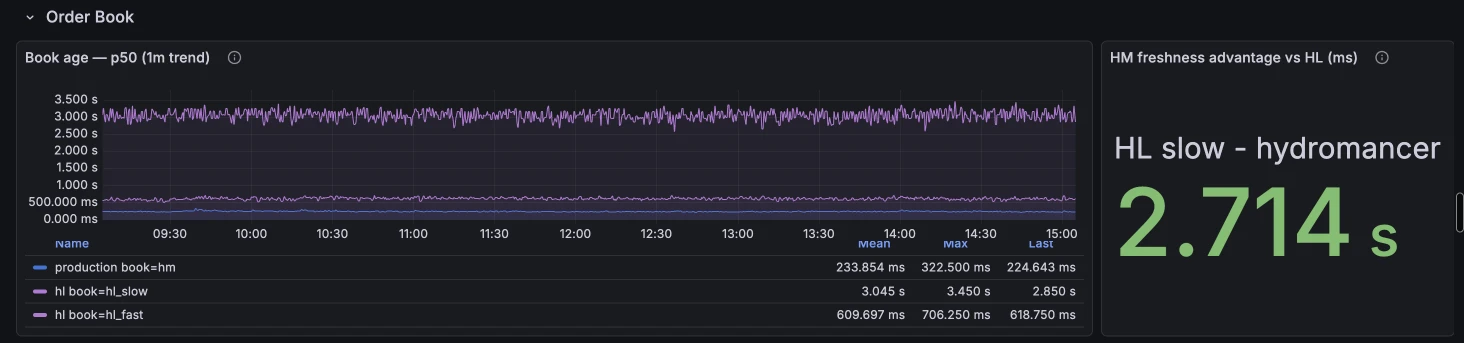
This row works differently. It doesn't race the same update; it measures book age: at any moment, how old is the latest order book you've received?
There are three lines:
• Hydromancer: our L2 book stream.
• HL slow: Hyperliquid's default book subscription, 20 price levels, sent about every 5 seconds.
• HL fast: Hyperliquid's faster option (fast: true), only the top 5 levels, sent about every half second.
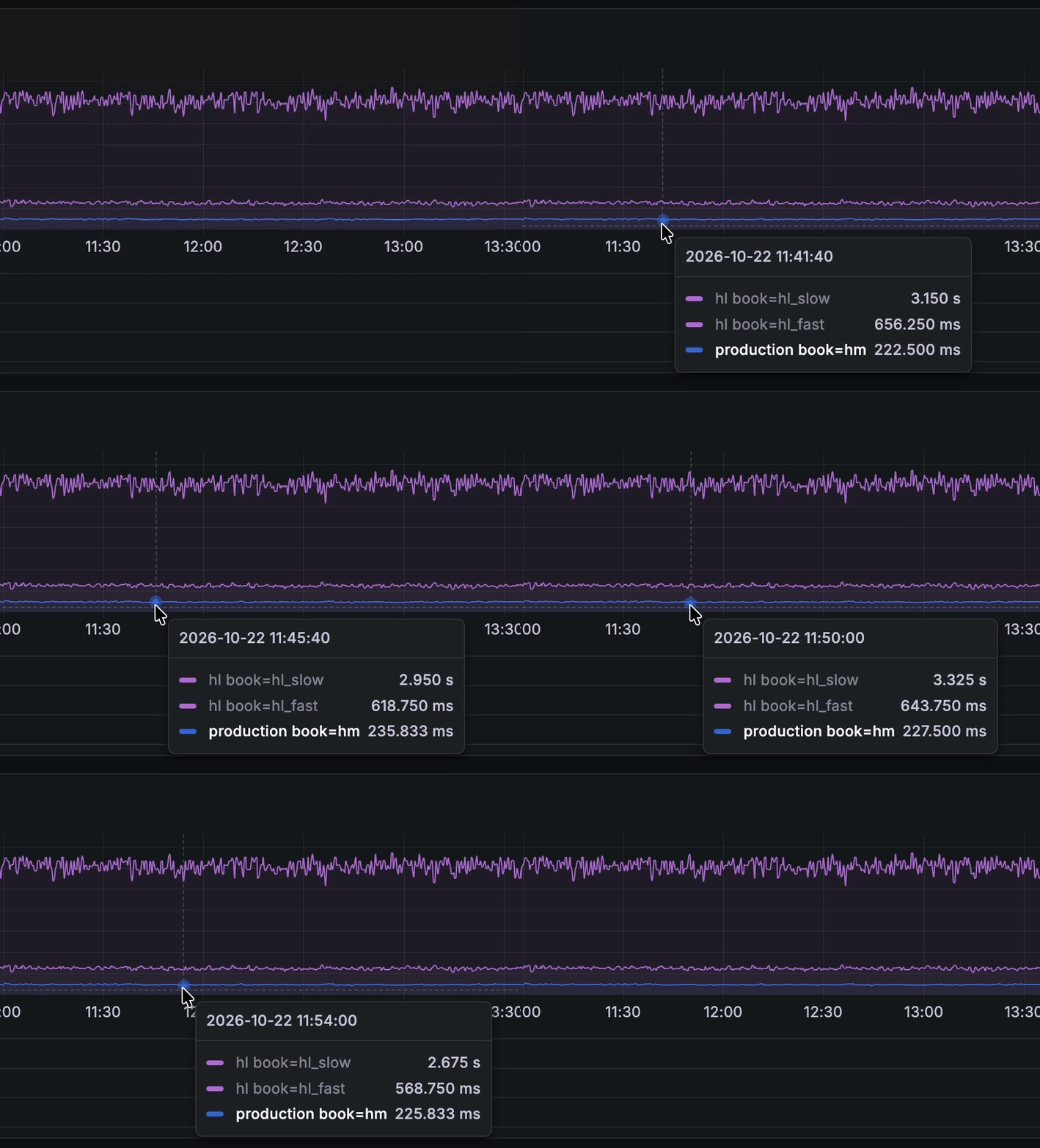
On 22 October the medians were about 231 ms for Hydromancer, 613 ms for HL fast and 3,050 ms for HL slow. The default book refreshes so rarely that the copy you hold is, on average, around 3 seconds old.
The number on the right, "HM freshness advantage vs HL", is HL slow's age minus Hydromancer's. Green means our book was fresher.
BBO: the best bid and ask
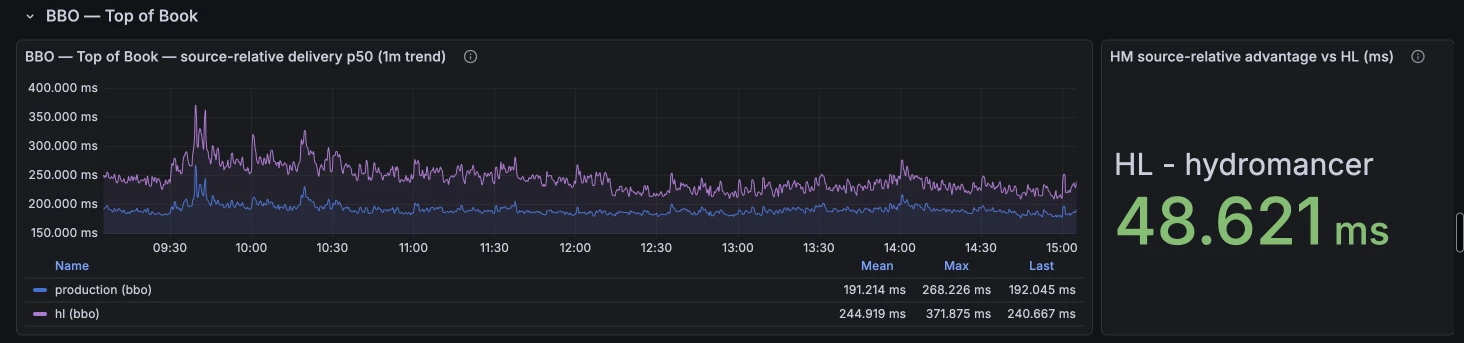
BBO (best bid and offer) is the top of the book: the highest price someone will pay and the lowest price someone will sell at. It's what most price tickers and alerts use.
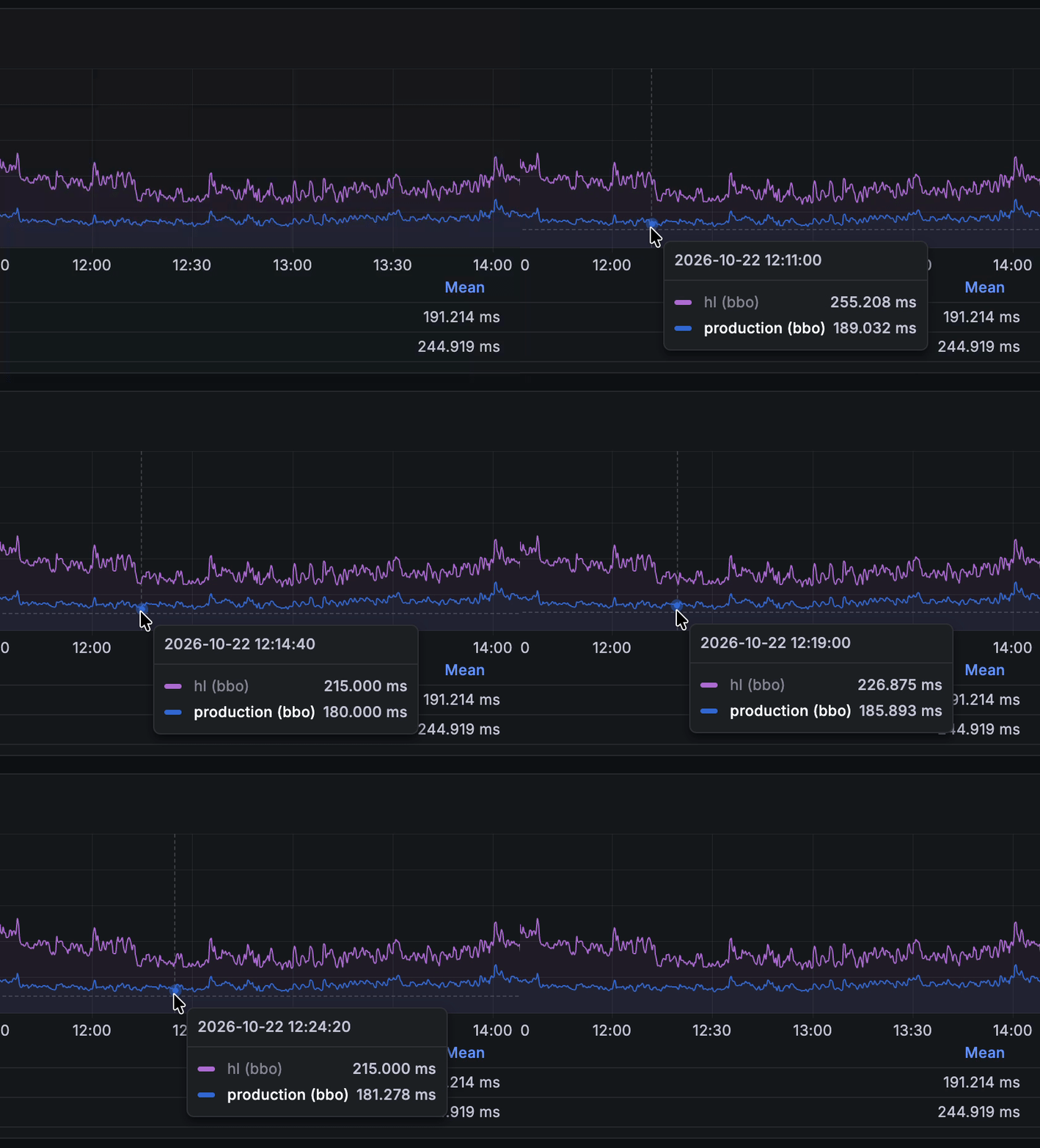
The chart shows how long each feed's BBO took to arrive. On 22 October that was about 189 ms for Hydromancer and 240 ms for Hyperliquid, and the number on the right showed a gap of about 46 ms.
The dashboard labels this row "diagnostic". The two lines are timed separately rather than matched update by update, so read it as a trend, not a head-to-head race like the Trades lead.
Fills: your own trades
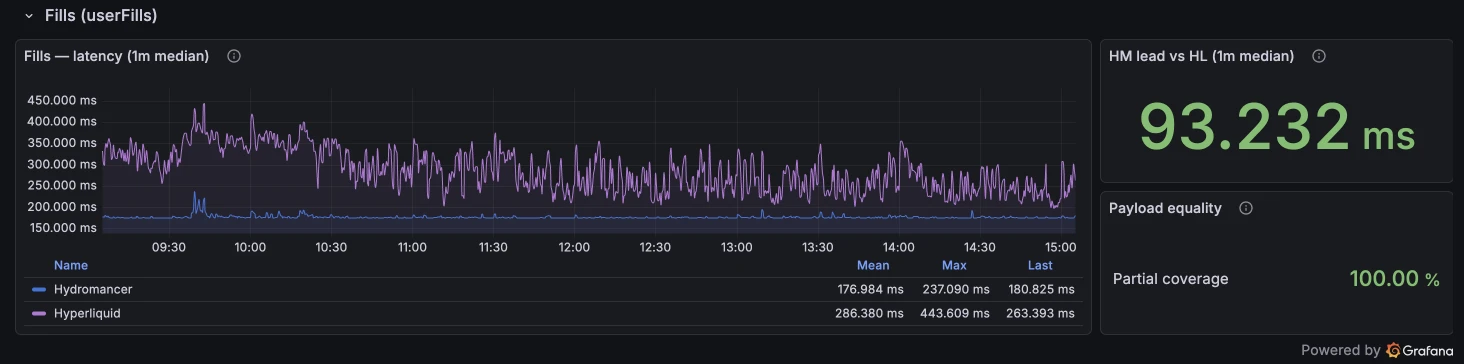
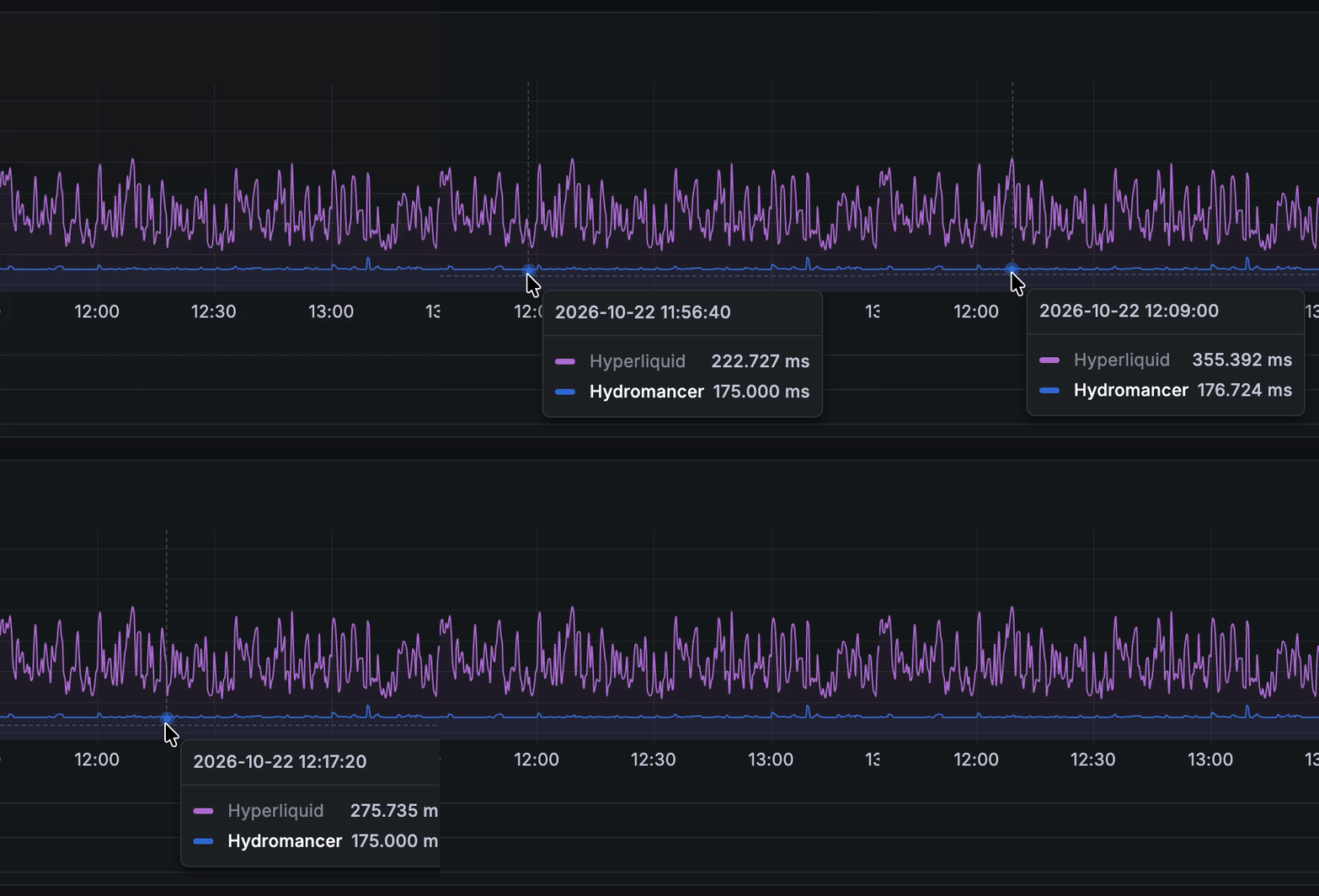
Fills are the trades of a specific wallet, the stream you'd use to update a user's trade history or P&L. This row works exactly like Trades: a chart of each feed's delivery time, the HM lead on the right and payload equality beside it.
On 22 October the fills lead was about 60 ms.
What the dashboard doesn't claim
The page is careful about what it says, and it's worth reading it the same way:
• It shows typical speed, not worst cases. Medians hide the occasional slow message. For tail numbers (P95, P99), see our latency benchmark.
• It's measured from one place. Your own numbers depend on where your server runs. Our latency by region test covers 10 regions.
• Gaps are real gaps. If the canary restarts or misses a scrape, the chart shows a gap instead of joining the dots, and the first minute after a restart is held back.
Quick reference
| You see | It means |
|---|---|
| HM lead (green, positive) | On the same trade or fill, Hydromancer arrived first by this much |
| Payload equality 100% | The matched messages were identical on both feeds |
| Partial coverage | The comparison uses the messages caught on both sides, not every message |
| Book age | How old your latest order book is; lower is fresher |
| HL slow / HL fast | Hyperliquid's default book (20 levels, ~5 s) and fast book (5 levels, ~0.5 s) |
| NO DATA | Nothing fresh to compare right now; not 0 ms |
If you're still choosing a feed, our guide to Hyperliquid data feeds explains the options.
Sources
- Hydromancer vs Hyperliquid: WS Latency (live dashboard), panel descriptions and values read 22 October 2026
- Hyperliquid docs: websocket subscriptions
Read next
Hyperliquid Builder Codes: How They Work and How to Track Your Fees
How Hyperliquid builder codes work: approval, fee limits, adding one to an order, and four ways to track the fills and fees your code earns.
Read ↗
How to Find a Reliable Peer for Your Hyperliquid Node
Why Hyperliquid nodes lose their peer and fall behind, how to find peers with free slots on Flowscan, and when a reserved peer is worth paying for.
Read ↗
How to View Entire Trader Positioning on Hyperliquid
See every open position on Hyperliquid at once: Flowscan Terminal in your browser, the perpSnapshots API in code, and Reservoir's free daily history.
Read ↗