Hyperliquid Frontend: Top Launch Checklist for Builders
Launch checklist for a Hyperliquid trading frontend: builder code fees, API wallet security, HIP-3 and HIP-4 markets, referrals, analytics and monitoring.

Ship a Hyperliquid trading frontend without checking fee approvals, API wallet rotation, and market IDs, and launch day brings rejected orders, expired signers, and lost revenue. Your app routes users' orders to Hyperliquid's order books instead of running an exchange.
Terminals, wallet apps, Telegram bots, and social products all earn through a builder code fee each user approves from their own non-custodial wallet. Users sign both an API wallet and a builder fee, putting both prompts on your trust and revenue path.
Any builder address with at least 100 USDC in perps account value and standard account abstraction mode can charge up to 0.1% on perps and 1% on spot. One exchange API reaches four market types: main perps, spot, HIP-3 perps, and HIP-4 outcomes.
Haven't built the frontend yet? Start with our trading terminal guide and return here before going live.
The exact maxBuilderFee and Builder Dashboard outputs behind the two code checks below live in Test and Validation.
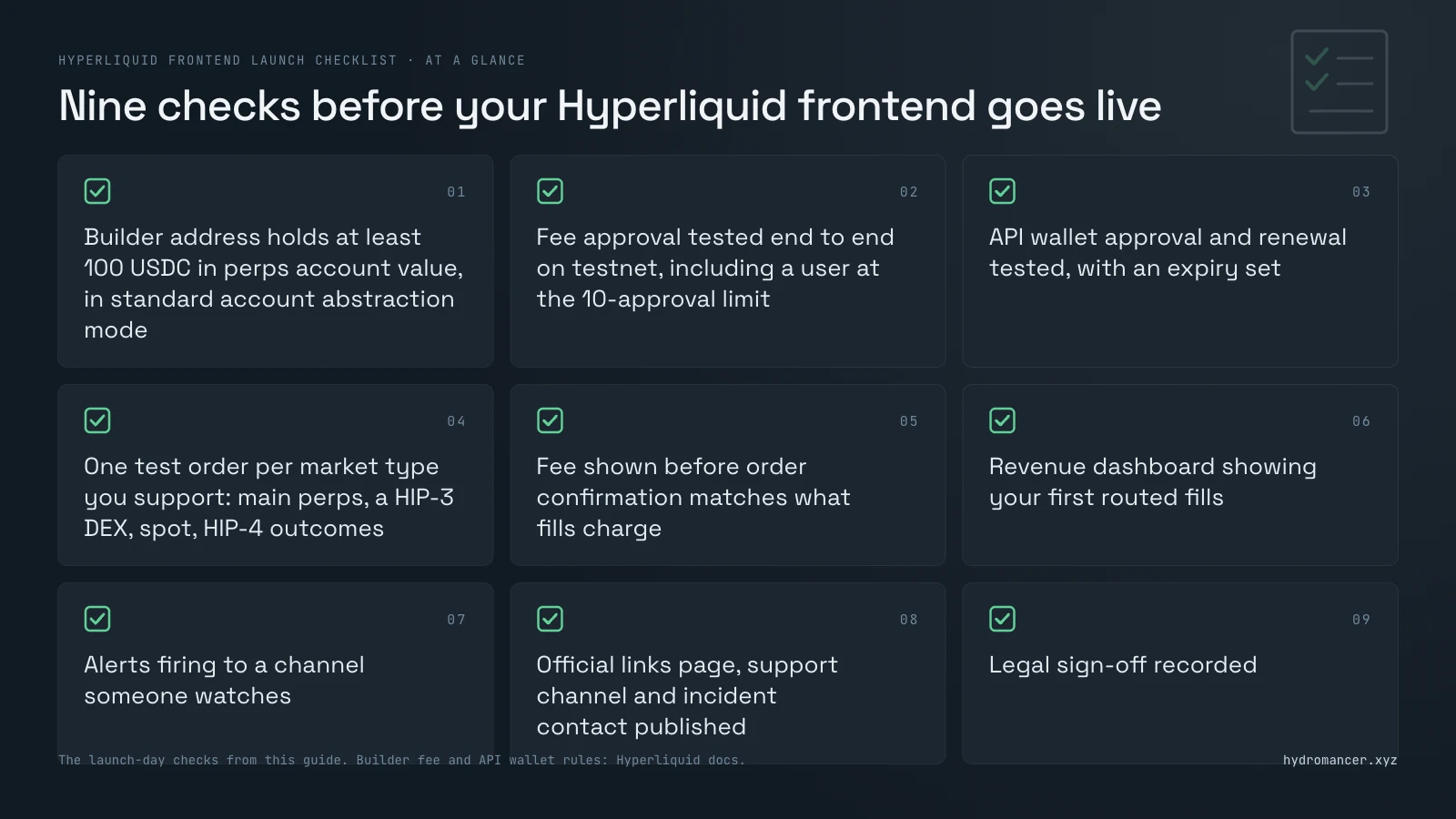
Hyperliquid frontend launch checklist at a glance
Here is the whole launch in nine checks, ready for the day you go live.
• [ ] Builder address funded (at least 100 USDC in perps account value) and in standard account abstraction mode
• [ ] Fee approval flow tested end to end on testnet, including a user at the 10-approval limit
• [ ] API wallet approval and renewal tested, with an expiry set
• [ ] One test order per market type you support: main perps, a HIP-3 DEX, spot, and HIP-4 outcomes
• [ ] Fee shown before order confirmation matches what fills charge
• [ ] Revenue dashboard showing your first routed fills
• [ ] Alerts firing to a channel someone watches
• [ ] Official links page, support channel, and incident contact published
• [ ] Legal sign-off recorded
Builder code and fee approval checklist
Every order your app sends can name your builder address and a fee, which Hyperliquid charges only if the user approved at least that rate. Our builder codes guide explains the mechanics in full.
Fund your builder address with at least 100 USDC
Your builder address is the account that collects your fees. Hyperliquid's docs require at least 100 USDC in its perps account value, and standard as its account abstraction mode, before builder codes work.
Keep the builder address key off your servers
Orders only name your builder address, so its key never needs to sign a trade. Keep that key away from the servers that sign user orders, as our security guide recommends.
Set your builder fee within Hyperliquid's cap
Hyperliquid caps builder fees at 0.1% on perps and 1% on spot. Each order carries the fee as f, in tenths of a basis point, so 10 means 1 basis point and the perps cap is 100.
Know which trades pay a builder fee
Builder codes apply only to fees collected in the quote or collateral asset. On spot they don't apply to the buying side, while on perps they apply to both sides.
Ask users to approve a maximum fee that leaves room
Users approve a maximum fee for your address with ApproveBuilderFee, and every order's fee must stay at or below it. If you later raise your fee above what a user approved, Hyperliquid rejects their orders until they sign a new approval.
Consider asking for a little headroom above your launch fee, and show users that maximum, not only today's fee.
Make fee approval a clear, separate step
ApproveBuilderFee must be signed by the user's main wallet, never an API wallet. Explain on screen what users are approving before the wallet prompt appears.
Handle the 10-approval limit per user
Each user can hold at most 10 active builder approvals at once, so anyone at the limit must revoke one before approving you. Hyperliquid's approvedBuilders info request lists a user's approvals so you can spot this before the wallet prompt.
Check the user's approval before sending an order
The maxBuilderFee info request returns the maximum fee a user has approved for your address, in tenths of a basis point. If it's below your fee, show the approval step instead of sending an order that will be rejected.
Here's that check with Hyperliquid's free API. It prints the user's approved maximum in tenths of a basis point, and a user who never approved you returns 0:
# Expected output: the user's approved max fee for your builder,
# e.g. "Approved max: 100 (tenths of a bp) = 0.100%"
import requests

r = requests.post("https://api.hyperliquid.xyz/info", json={
    "type": "maxBuilderFee",
    "user": "0xUSER_ADDRESS",
    "builder": "0xYOUR_BUILDER_ADDRESS",
}, timeout=10)
r.raise_for_status()  # a malformed address returns HTTP 422
approved = int(r.json())  # tenths of a basis point
print(f"Approved max: {approved} (tenths of a bp) = {approved / 100_000:.3%}")
Against Phantom's builder address, the request returned 87 tenths of a bp (0.087%) for an approved trader and 0 for a trader who hadn't approved it.
Plan how you will claim builder fees
Hyperliquid counts your builder fees inside your builder address's referral state. You claim them through the usual referral reward claim process.
API wallet and key security for a Hyperliquid frontend
Most frontends trade for users through an API wallet, also called an agent wallet. The user approves it with their main wallet, and your app signs orders with it.
Never ask for a seed phrase or a main key
Hyperliquid is non-custodial, so your app never needs users' funds, seed phrases, or main keys. Say clearly on your site that users only approve an API wallet to trade and a builder fee if you charge one.
Name each API wallet and set an expiry
An account can have one unnamed API wallet and up to three named ones, plus two named ones per sub-account. Set the expiry by adding valid_until and a timestamp after the name, at most 180 days ahead.
Never reuse an API wallet address
Hyperliquid's docs strongly advise against reusing an API wallet address. Once a wallet is deregistered, its nonce state may be pruned, and previously signed actions can then be replayed.
A wallet is deregistered when a new unnamed one replaces it, or when a new one is approved with the same name.
Use one signing key per process or session
Hyperliquid tracks nonces, the one-time numbers that stop a signed action from running twice, per signer. Two processes or frontend sessions signing with one API wallet share that nonce set and can collide.
Design a clear renewal screen for expiring wallets
Expiring API wallets mean active users will eventually see your "approve again" screen. Make renewal quick, and explain why the prompt appeared.
Query accounts by the user's address, not the API wallet
API wallets only sign orders and hold no account state. A query using the API wallet's address returns an empty result, a common pitfall Hyperliquid's docs call out.
Store API wallet keys in a key manager or signing service
The API wallet keys you hold are the most sensitive secrets on your servers. Keep them in a key manager or signing service, out of config files and logs.
Keep data API keys on your server
A data API key can't move funds, but it still shouldn't ship in a web page or a mobile app. Keep data API keys on your server.
Lock your domain and publish official links
Fake sites and support scams target your users, not your code. Lock your domain and social accounts, publish one list of official links, and state that your team never messages first.
HIP-3 and HIP-4 market checklist
Hyperliquid's Frontend checks page is for teams deploying spot tokens, covering client-side checks on decimals, genesis balances, and Hyperliquidity settings. The trading checks below come from the HIP-3, HIP-4, and asset ID docs instead.
HIP-3 markets are perps deployed by outside teams, each on its own perp DEX (decentralized exchange). HIP-4 markets are outcome markets, fully collateralized contracts that settle within a fixed range, each with its own asset IDs, fees, and settlement rules.
Use the right asset ID for each market
Orders name a market by its asset ID, and HIP-3 and HIP-4 markets use their own schemas. A HIP-3 perp is 100000 + perp_dex_index * 10000 + index_in_meta, and an outcome side is 100000000 + 10 * outcome + side.
Mainnet and testnet use different asset IDs, so read them from the meta and outcomeMeta responses rather than hard-coding testnet values.
Show which collateral each HIP-3 DEX uses
Any quote asset can serve as a HIP-3 DEX's collateral, and each DEX maintains independent margining. Users need to see which balance a position draws on.
Show the full fee on HIP-3 markets
HIP-3 deployers can add a fee share of 0 to 300% (0 to 100% in growth mode), and above 100% the protocol fee rises to match. Your builder fee sits on top, so show the full total before the user confirms.
Handle halted and settled HIP-3 markets
A deployer can settle a market with haltTrading, which cancels all orders and settles positions at the mark price. The same action can resume trading, so your UI should show both states rather than a broken order form.
Treat HIP-4 outcome markets as their own product
HIP-4 outcomes have no leverage or liquidations, and the Yes and No books are merged. Buying Yes at a price equals selling No at 1 minus that price.
The outcome trading API is similar to spot, with the differences listed in Hyperliquid's asset ID docs.
Show each outcome market's settlement rules
Users should see when and how a market settles before they trade. The first HIP-4 market, for example, is a recurring binary outcome that settles daily at 06:00 UTC to the BTC mark price.
Know which outcome trades pay a builder fee
Builder codes work on outcome markets the same way as on spot trading. You earn a builder fee on sell orders that carry your code.
If you're adding outcome markets, Hydromancer's HIP-4 page covers their data.
Referral and points checklist
A referral or points program on your builder code is yours to design, and every reward comes out of your fee.
Keep your program separate from Hyperliquid's referral codes
Hyperliquid's own referral codes tie to the user's Hyperliquid account and pay out of Hyperliquid's fees. A program on your builder code pays out of your fee, and you set its rules.
Record who referred whom at sign-up
Hyperliquid doesn't know your referral codes exist. The link between a wallet and its referrer lives in your own database.
Pay a referrer's share in the order itself
An order's builder field can name up to 5 sub-builders, each taking a share of your builder fee in units of 0.001%. Each must be an existing Hyperliquid user, and you keep whatever the shares leave.
That means a referrer's cut can be split off onchain with each order instead of paid out by you later.
Count only fills routed through your builder code
A user who approved your fee can still trade on other apps, and those trades pay you nothing. Base rewards strictly on fills that carry your code.
Price in self-referral
A user who refers their own second wallet collects both the discount and the referrer's share. Treat the two together as the deepest discount you offer, and price for it.
Make points worth less than a wash trade costs
A wash trade is one person trading with themselves from two wallets to farm volume. Our referral and points guide worked out that a $1M wash trade at base rates, with a 0.05% builder fee, costs about $1,600 in fees.
That trade also puts $2M of volume on your scoreboard, so points for $2M of volume should be worth less than $1,600.
Hyperliquid frontend analytics checklist
Hyperliquid publishes every builder's fills daily, making builder revenue public from day one. Set up clean attribution before launch so your numbers stay accurate.
Measure revenue from routed fills only
Routed fills, the ones carrying your builder code on the order, are your revenue. Hydromancer's docs warn against counting approval-based fills because they include trades placed through other frontends.
Track approved users' activity separately
Activity from users who approved your fee shows engagement and risk even when they trade elsewhere. Keep it in its own view, separate from revenue.
Decide how fresh your numbers need to be
Hyperliquid publishes a daily file of each builder's fills, which Hydromancer's docs say arrives 1 to 3 days late. The file URL is case sensitive and needs your builder address in lowercase.
For same-day numbers you need a live source, such as Hydromancer's builderFills stream on a paid plan.
Track builder fees by token
Builder fees are paid in the market's quote or collateral asset, so not every fee arrives in USDC. Hydromancer's dashboard counts revenue in USDC, USDT0, and USDE only, leaving fees in other tokens out.
Benchmark revenue against other builders
Because every builder's fills are public, you can compare your numbers with established frontends. Our top builders by revenue ranking shows what they earn.
The native referral info request includes builderRewards, your builder fees collected, where the top-level figure counts USDC only. For daily and per-window figures, Hydromancer's Builder Dashboard API returns them directly:
# Expected output: yesterday's routed volume, builder-fee revenue
# and distinct traders for your builder code
import os
import requests

r = requests.get(
    "https://api.hydromancer.xyz/dashboard/builder-stats",
    params={"builder": "0xYOUR_BUILDER_ADDRESS", "window": "1d"},
    headers={"Authorization": f"Bearer {os.environ['HYDROMANCER_API_KEY']}"},
)
r.raise_for_status()
s = r.json()
print(s["startDate"], "volume", s["volume"], "revenue", s["revenue"],
      "traders", s["traders"])
For Phantom's builder address on a 1d window, the endpoint returned $107.1M in volume, $62.3K in revenue, and 7,263 traders.
The code reads your key from the HYDROMANCER_API_KEY environment variable. Dashboard endpoints are enabled per API key, so ask for access first.
Monitoring, incidents, and legal checks
Alert when routed fills stop
If fills with your builder code stop while your users are active, something in your order path may have broken. An alert on a quiet builder fill stream catches it before users write in.
Watch API wallet expiries
An expired API wallet fails every order for that user until they approve a new one. Each API wallet's expiry is public account data, so you can prompt users before it lapses.
Watch for permission changes on protected accounts
Permission changes aren't ledger events, so no deposit or transfer stream shows them. Request API wallets, builder approvals, and multi-sig signers on a schedule, and compare each answer with the last.
Alert when money leaves a user's account
Withdrawals are one way out, and sends, transfers, and vault deposits are others. Alert on a destination the account hasn't sent to before, not on every send.
Write the incident runbook before launch
A runbook is the plan your team follows when something breaks. Decide who pauses order entry, who posts to users and where, and how you'll confirm recovery.
Know where each provider posts its status
Your UI depends on Hyperliquid and on any data provider you use. Know where each one posts incidents; Hydromancer publishes its incident reports in its docs.
Legal sign-off, disclosures, and regional access
Rules on trading products differ by country and change over time, so get legal advice on where you can offer the app and whether identity checks apply before onboarding users. This section isn't legal advice.
Publish terms of service and a risk disclosure stating that you route orders to Hyperliquid and charge a builder fee on top of Hyperliquid's fees. If counsel restricts specific regions, build geo-blocking enforcement before launch.
Where Hydromancer fits
You can launch on Hyperliquid's free API alone, and we'd rather say so up front. It covers approvals (maxBuilderFee), total builder rewards (referral), and daily builder fill files.
Hydromancer helps when you need live builder data, approved-user activity, or positions for many users at once. Live REST and WebSocket data require an API key on a paid plan from $300/month, while Reservoir's historical archive is free under AWS requester pays.
Hyperliquid's API covers approvals and daily files, while Hydromancer adds same-day builder fills and the activity of users who approved you:
| What you need | Without Hydromancer | With Hydromancer |
|---|---|---|
| A user's approved max fee | maxBuilderFee, free | maxBuilderFeewith your API key |
| Your routed fills | Daily LZ4 files, 1 to 3 days late | builderFills streamand builderFillsByTime |
| Activity from users who approved you | No request for it in Hyperliquid's API docs | builderApprovedFills,builderApprovedFillsByTime |
| Revenue, traders and retention | Build from fills yourself | Builder Dashboard API (enabled per key) |
| Historical builder fills | Daily files | Reservoir builder_fills,free (requester pays) |
| Key | None | API key on a paid plan; Reservoir needs only an AWS account |
| Placing orders | Your app signs them and sends them to Hyperliquid | The same: orders always go to Hyperliquid |
See the REST API page and pricing for details.
Next steps
• Build the order form first with our trading terminal guide.
• Read our builder codes guide for the fee and approval mechanics in full.
• Check your keys and your users' accounts against our security guide.
• Design rewards with our referral and points guide.
Test and Validation
SetupBoth code checks were run on 19 November 2026, with Phantom's builder address standing in for yours.
Approved max fee checkThe maxBuilderFee check printed Approved max: 0 (tenths of a bp) = 0.000% for a trader who hadn't approved Phantom. For a trader who had, it printed Approved max: 87 (tenths of a bp) = 0.087%.
The Builder Dashboard check used a dashboard-enabled key and the 1d window. It printed 2026-11-18 volume 107143341.93948 revenue 62291.077711 traders 7263, the figures for the day before the run.
FAQ
What is the maximum builder fee on Hyperliquid?
Hyperliquid's docs cap builder fees at 0.1% on perps and 1% on spot. The user approves a maximum for your builder address, and each order's fee must be at or below that.
Do I need 100 USDC to use a builder code?
Yes. The builder address needs at least 100 USDC in perps account value and must use the standard account abstraction mode.
Can an API wallet approve my builder fee?
No. ApproveBuilderFee must be signed by the user's main wallet, and the API wallet then signs orders that include your builder code.
How do I track revenue from my Hyperliquid frontend?
Count only fills routed through your builder code. Hyperliquid publishes daily builder fill files with a 1 to 3 day delay, and the referral info request shows total builder rewards.
Live streams and dashboards from a data provider show revenue the same day.
Do HIP-3 markets work with builder codes?
Yes. HIP-3 perps trade through the same API as other HyperCore perps, and builder fees apply to both sides of their trades, paid in the DEX's collateral asset.
Show users the deployer's fee share as well, because it changes the total cost.
Do builder codes work on HIP-4 outcome markets?
Yes. They work as on spot, so builders earn a fee on sell orders that carry their builder code.
Sources
1. Hyperliquid docs: builder codes
2. Hyperliquid docs: exchange endpoint
3. Hyperliquid docs: info endpoint
4. Hyperliquid docs: nonces and API wallets
5. Hyperliquid docs: asset IDs
6. Hyperliquid docs: HIP-3, builder-deployed perpetuals
7. Hyperliquid docs: HIP-4, outcome markets
8. Hyperliquid docs: frontend checks (spot token deployment)
9. Hyperliquid docs: referrals
10. Hydromancer docs: trading frontend
11. Hydromancer docs: monitor approved builder users
12. Hydromancer docs: account security monitoring
13. Hydromancer docs: Builder Dashboard
14. Hydromancer docs: maxBuilderFee
15. Hydromancer docs: Reservoir fills schema
16. Hydromancer docs: get API keys
17. Hydromancer docs: incidents
18. Hydromancer blog: Hyperliquid security
19. Hydromancer blog: Hyperliquid builder codes
20. Hydromancer blog: referral and points program
21. Hydromancer blog: top builders by revenue
Read next

Hyperliquid Stop-Loss: Guide for Traders & Builders
How stop-loss and take-profit orders work on Hyperliquid, why every waiting one is public, and how traders and builders can read where they sit.

Hyperliquid OHLCV Candles: API, History and CSV Export Guide
How to get Hyperliquid OHLCV candles: one free API request, how far back it goes, saving candles as CSV, and where to get older or 1-second candles.

How to Launch Point & Referral Programs on Your Hyperliquid App
Run referrals and points on Hyperliquid builder codes: discount referred users, pay referrers from real fills, score points fairly and spot farming.